
Online booking that connects to your customer records.
Let customers choose a service and available time. Learn how Nexis Business OS bookings connect to customer records, your internal calendar and team follow-up.
See how Nexis Business OS connects customer records, appointments and team follow-up. Review product modules, channel requirements and the limits of CRM connections.
Start 7-day free trialLet customers choose a service and available time. Learn how Nexis Business OS bookings connect to customer records, your internal calendar and team follow-up.
Share one Nexis Business OS business page for services, products, contact details and appointment booking. Use it in social profiles, on your website or behind a QR code.
A branded mobile and desktop entry point for business information, services, products, booking and contact links. Available. Sharing a link on a social profile does not connect that platform’s messages to the inbox.
Visitors can browse products, select quantities and send the configured cart enquiry through WhatsApp. Available with products and a WhatsApp contact configured. This is an enquiry, not payment or a confirmed purchase.
Publish supported location and review links, customer testimonials with permission, and configured business contact options. Links lead to their destination provider; Nexis Business OS does not control Google reviews or guarantee feedback. Email contact is not a unified email inbox.
A searchable customer database with a history your team can use.
Customers choose a service and available time. The booking creates a customer record and appears in the internal booking schedule. Available. No Google Calendar or Outlook synchronisation is claimed. Check staff schedules and availability before sharing the link.
Keep working documents beside the customer record.
WhatsApp inbox connection by QR code is being prepared. It is not available for customer use yet. Contact links remain separate from a connected inbox. Instagram DM connector code is implemented; customer activation requires Meta access, configuration and live delivery verification. Threads messaging is not available. A social-profile link is separate from an inbox connection.
WhatsApp QR inbox linking is being tested before customer release. The planned scope is new direct messages and manual text replies. Automated reminders and template messages are not available. Team follow-up tasks do not require AI. WhatsApp QR inbox linking is being tested before customer release. The planned scope is new direct messages and manual text replies. Automated reminders and template messages are not available. Trial accounts do not send these automated messages.
Prepare useful replies once and reuse them.
Choose the next step after a business event.
Prepare approved business knowledge, services, customer context and example conversations to assist your team. Test answers and define human handover. Provider setup and release checks apply. Advanced Agent Studio production activation is gated. Autonomous booking, rescheduling, cancellation and payment are not advertised as live actions. AI tokens cost extra.
Find the parts of the working day that need attention.
A shared plan with clear responsibilities.
Track materials used in services and sales.
An operational ledger based on recorded payments and imported reports.
Set up your business and support the team’s daily work.
Nexis Business OS
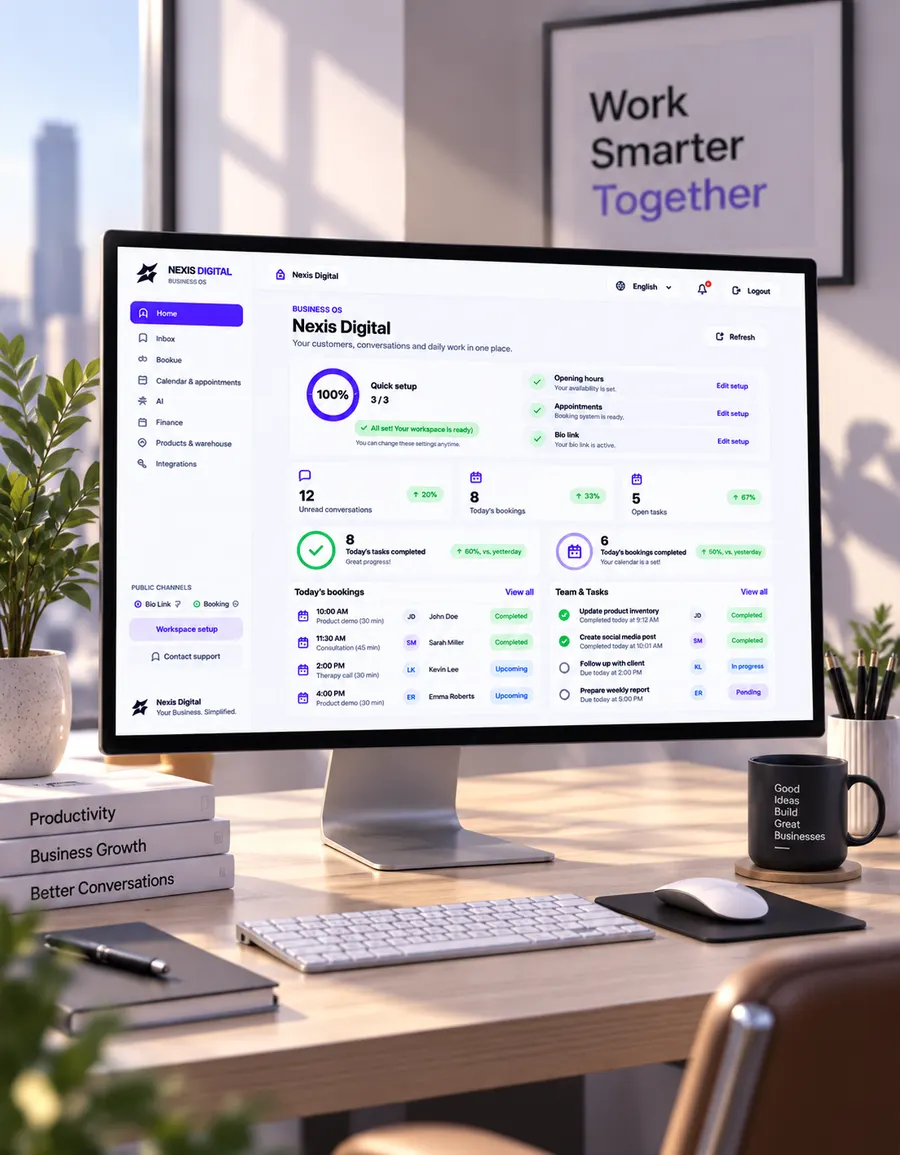
Give your service business a clear daily workflow. Keep booking details, customer conversations and team tasks within reach, with a public bio page that helps customers take the next step.
Nexis Business OS + PIPEDRIVE
The Nexis Business OS Pipedrive connector is designed to send new enquiries and booking activities from Nexis Business OS to your authorised Pipedrive account. It is a one-way connection, with explicit activation after account setup.
A practical way to evaluate the workspace is to follow one appointment from start to finish. Use sample customer details while you test.
| Tool | What it helps you do | What you need to prepare |
|---|---|---|
| CRM and customer records | Keep customer details and the next action together. | Customer information and a clear follow-up process. |
| Online booking | Let customers choose an available appointment. | Services, prices, working hours and availability. |
| Bio page | Give customers one public place to find your business and booking link. | Business description, branding and contact links. |
| AI assistance | Prepare assistance around your own business information. | Accurate business knowledge, testing and separately billed AI tokens. |
| Work with a supported, connected business messaging account. | WhatsApp inbox connection by QR code is being prepared. It is not available for customer use yet. Contact links remain separate from a connected inbox. Instagram DM connector code is implemented; customer activation requires Meta access, configuration and live delivery verification. Threads messaging is not available. A social-profile link is separate from an inbox connection. |
Starter is $49.99 and Pro $149.99 USD per month. Agency is available by enquiry as a private pilot, with scope and pricing agreed before activation. AI tokens are paid separately.
Check current WhatsApp messaging charges in Meta’s official pricing guide.
This is a product guide from the business developing Nexis Business OS. The workflow above is an evaluation example, not a customer case study or a promise of revenue. Test your own workflow before moving daily operations.
NexisDigital’s Nexis Business OS includes connectors for Bitrix24 and Kommo. Check supported records and field mapping, then test a few contacts before planning a full transfer.
Start with your business name, services and opening hours. Add customer information and a booking or bio page as you need them. You can prepare your business data before connecting a messaging account.
Prepare your services, prices and common customer questions. Add rules for when a person should take over, then test sample conversations before activation. AI tokens are paid separately.
For independent professionals
$49.99USD / month
Start 7-day free trialFor growing teams
$149.99USD / month
Start 7-day free trialPrivate pilot for agencies. We agree client workspaces, WhatsApp capacity and onboarding with you before activation.
Contact us
Contact usAI tokens are billed separately from your subscription. AI usage is not included in these monthly prices.
7 days free. No payment at signup. Subscription required afterward.